
Ever stared at a pattern until the lines started to shimmer, tilt, or ripple? That’s optical art doing its job, and it’s more fun to create than you’d think. A modern AI image maker such as Dreamina lets you describe a pattern in plain words and watch it appear, with no ruler or compass in sight.
No design background needed, just curiosity and a willingness to experiment. In this post, you’ll see how to write prompts that produce dizzying geometric designs, how to tweak the results, and how to save something worth hanging on your wall.
When a pattern starts to wobble
Op art took off in the 1960s, when artists noticed that high-contrast shapes can trick the eye into seeing movement. Nothing on the canvas actually moves. Your brain just can’t decide where one line ends and the next begins. Names like Bridget Riley and Victor Vasarely built whole careers on this effect, and their work still looks fresh today. That tension is the whole appeal, and it’s also why geometric patterns suit AI so well. Repetition, symmetry, and contrast are easy to describe in words, so the results come out surprisingly deliberate.
The geometry behind the illusion
A few building blocks do most of the work:
- Concentric circles that seem to pulse outward
- Checkerboards bent into bulges and waves
- Parallel lines that warp as they cross
- Interlocking tessellations in two sharply contrasting colors
Mixing two of these in a single prompt often gives the most surprising results.
Symmetry matters more than you’d expect. A perfectly mirrored pattern feels calm and hypnotic, while one with a single deliberate flaw feels playful and a little unsettling. Decide which mood you’re after before you write your prompt, because it will change the words you choose.
Spin up your pattern with Dreamina in three steps
The whole process takes just a few minutes once you know what to type.
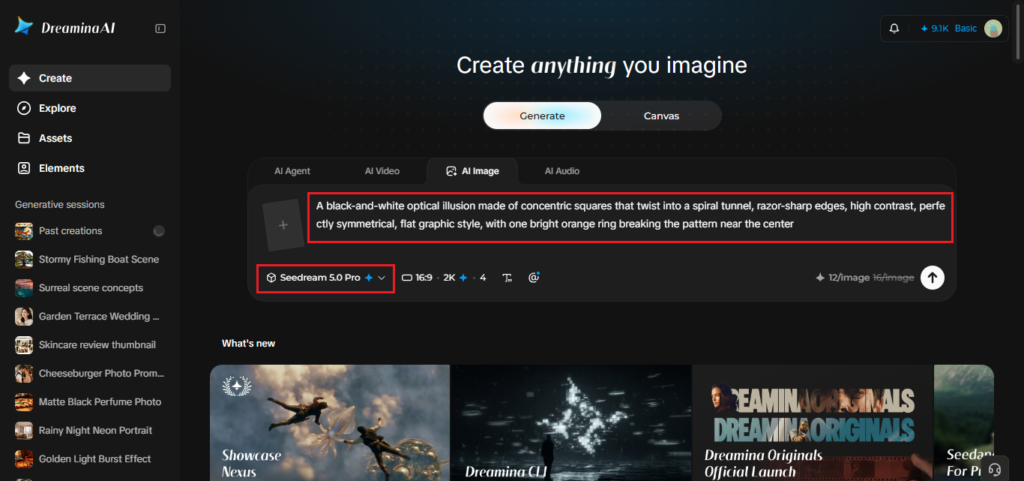
Step 1: Write a text prompt
Open Dreamina and write a descriptive text prompt that spells out the pattern, the colors, and the mood. For example: “A black-and-white optical illusion made of concentric squares that twist into a spiral tunnel, razor-sharp edges, high contrast, perfectly symmetrical, flat graphic style, with one bright orange ring breaking the pattern near the center.” Don’t worry about sounding technical, plain, specific language works fine.
Step 2: Adjust parameters and generate
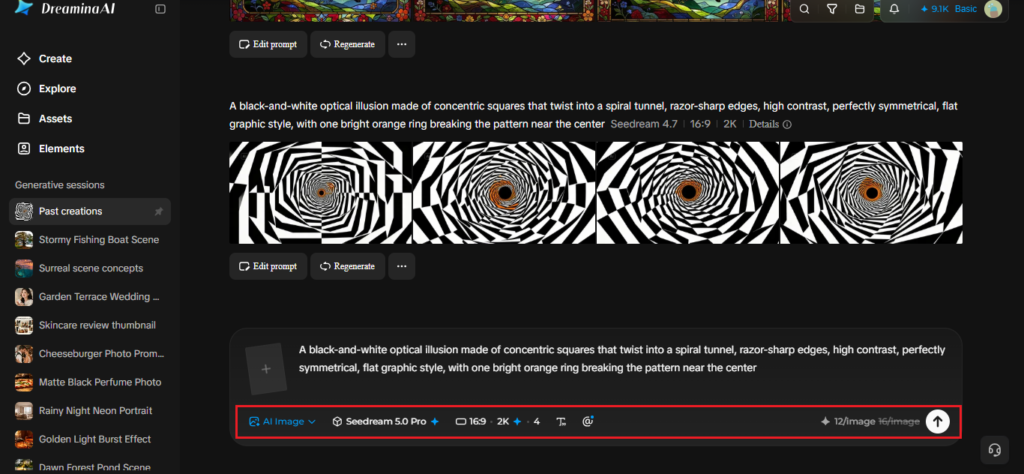
Now set your parameters. Select a model, choose an aspect ratio, pick a size, and decide between 1K and 2K resolution. Hit Dreamina’s icon to generate, then look over what comes back. A square frame suits prints and wallpapers, while a wide one works better for banners.
Step 3: Customize and download
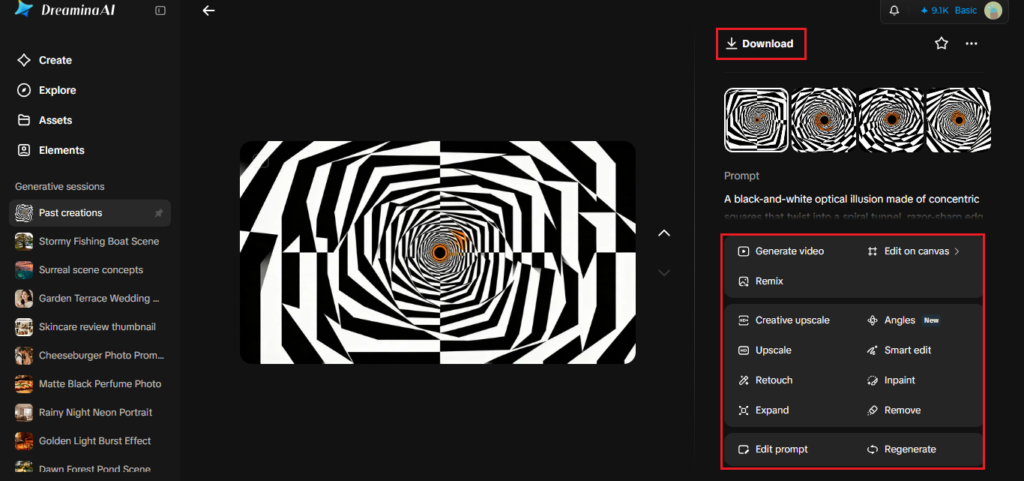
Fine-tune with Dreamina’s AI customization tools. Use inpaint to redraw a section, expand to widen the pattern, remove to erase stray marks, and retouch to even out wobbly lines. Once you’re happy, tap the Download icon to save the file. If one tweak makes things worse, undo it and try a gentler change.
Seedream 5.0 Pro features that suit precise patterns
Patterns punish sloppy output, so a stronger model helps a lot.
Sharp 2K output
Crisp edges matter when lines have to meet cleanly, and 2K output holds those edges together. That precision is what keeps a spiral looking intentional rather than accidental.
Reasoning before rendering
Deep reasoning helps the model grasp structure, like “symmetrical” or “spiral,” instead of guessing at it. Fewer misfires means fewer rounds of regenerating.
Regional controls
Point selection, lasso, and sketch guidance let you correct one area without redrawing the entire piece. It’s a lifesaver when a single ring comes out a little off.
Prompt words that bend the eye
Vocabulary changes everything. Words like “high contrast,” “razor-sharp,” “symmetrical,” and “flat vector” keep things graphic, while “soft,” “painterly,” or “glowing” pull the result toward something dreamier. Name the exact number of colors you want, too. Limiting yourself to two or three makes the illusion stronger and the image less cluttered. Motion words help as well. Terms like twisting, rippling, and spiraling nudge the model toward patterns that feel alive even though they’re perfectly still. If a result looks messy, simplify the prompt before you add more detail.
Printing, posting, framing
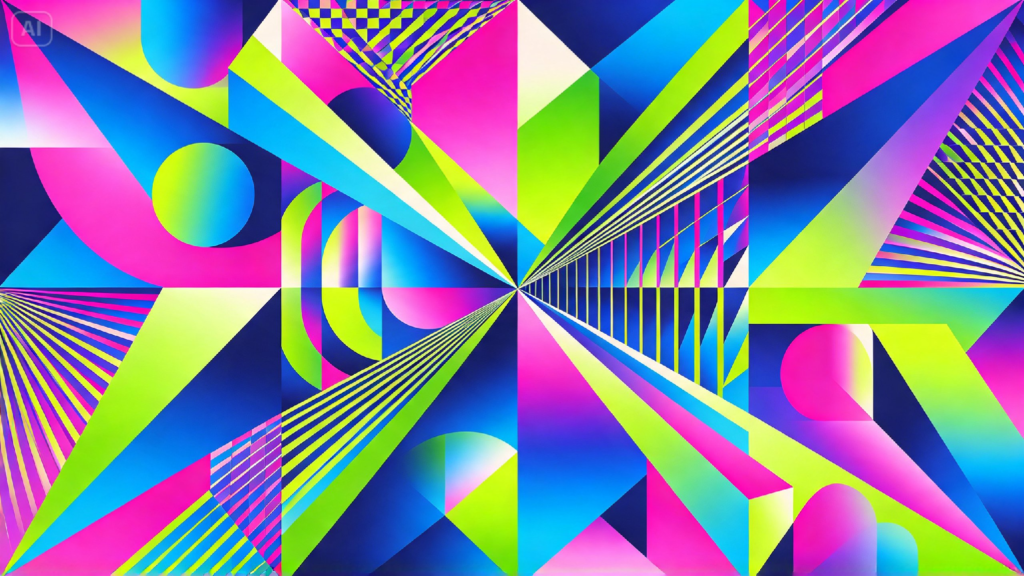
Optical art travels well. It makes bold phone wallpapers, album covers, tote bag prints, and framed pieces for a bare wall. If you’re building a small brand around your work, you can even pair the pattern with a simple wordmark from an AI logo generator for a matching look. For prints, export at 2K and check how the contrast holds up on paper. A quick tip: view your design at arm’s length first. Strong optical art should still feel alive from across a room, not only up close.
Experiments worth trying this weekend
Try the same pattern in three different palettes and compare how each one feels. Ask for a design that fades from perfect order into chaos. Or combine a spiral and a checkerboard and see what happens. Keep a folder of your favorites, and jot down which prompt words earned them a spot there. For a real challenge, try recreating a classic bulging checkerboard using only one color and a soft gray. Showing your best result to a friend and asking what they see is oddly satisfying, since everyone’s eye catches something different. Even a failed pattern teaches you which words the model listens to.
Keep the illusion going
Geometric patterns give your imagination clear rules to bend. With Dreamina, you can write a few lines, adjust a few settings, and have eye-twisting artwork in minutes. Try one pattern today, then push it somewhere stranger tomorrow. And if a result makes your eyes water a little, that’s usually a good sign.